The most expensive CMMS mistake often happens before the first work order is closed.
It happens during setup, when the team imports a spreadsheet full of equipment names and calls it an asset register.
At first, it looks fine. The assets are searchable. PMs can be attached. Work orders can be opened. Technicians can find the thing they need.
Then the questions get harder.
Which building is driving HVAC spend? Which production line has the worst repeat failures? Which pump class is eating seals? Which roof section should be replaced first? Which assets belong to the new capital plan? Which costs should roll up to the system, site, region, or account?
A flat list cannot answer those questions.
What hierarchy really does
Asset hierarchy is not just a filing system. It is the structure that lets maintenance data become reliability data.
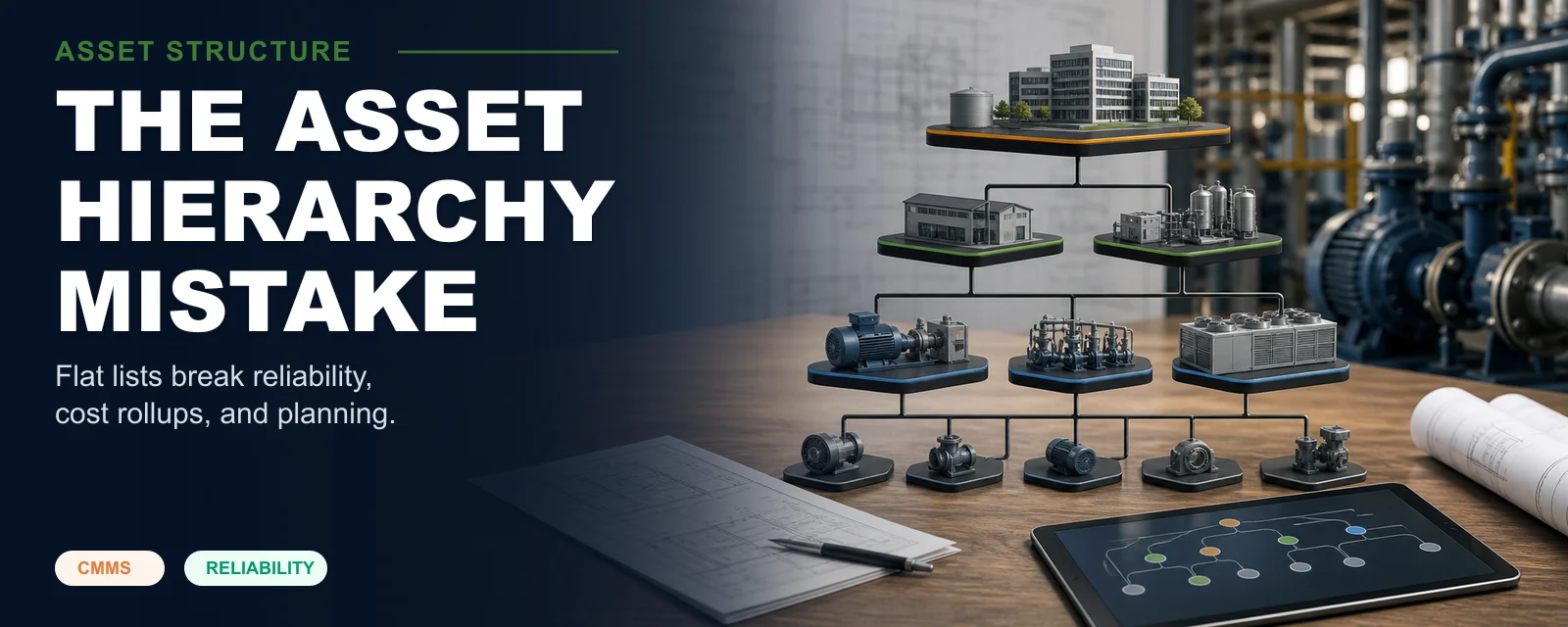
A useful hierarchy describes how the operation is physically and functionally organized: account, site, building, area, system, equipment, subassembly, maintainable item. The exact levels vary by industry, but the purpose is the same. Work history needs a place to land that makes sense later.
If a work order is attached only to "Pump 12," the system may know that Pump 12 failed. It may not know which process area it served, which system it belonged to, which parent asset should carry the cost, or whether it is comparable to other pumps.
That missing context limits every downstream analysis.
The flat-list trap
Flat asset lists are common because they are fast.
Someone exports equipment from a spreadsheet, ERP, BAS, commissioning log, or legacy CMMS. The file has asset names, maybe serial numbers, maybe locations. The implementation team is under pressure. The import works. Everyone moves on.
The problem appears later.
Costs do not roll up cleanly. PMs are duplicated. Locations are used as asset names. Components are treated like full assets. Systems are invisible. Technicians close work at inconsistent levels. Reporting requires manual cleanup every month.
By then, hierarchy changes are painful. Thousands of work orders already point to the wrong records. PMs are attached at inconsistent levels. QR codes may be printed. Integrations may depend on IDs. The organization has operationalized the mistake.
That is why hierarchy is hard to unscrew.
How ISO 14224 helps
ISO 14224 is often associated with oil and gas, but its deeper value is the discipline it brings to reliability and maintenance data. It encourages organizations to think about taxonomy, equipment classes, maintainable items, failure data, and the context needed to compare performance.
You do not need to copy every level blindly. A small facilities team does not need the same depth as an offshore platform. But the principle travels well: define the levels, define the equipment classes, define what data belongs at each level, and capture failure history where it can be analyzed later.
The point is not standards theater. The point is comparability.
If all rooftop units are classified consistently, the team can compare them. If all centrifugal pumps share a class and failure-code set, reliability patterns become visible. If costs roll to the right parent, capital planning gets easier.
What Sympl forces early
Sympl · CMMS is opinionated about hierarchy because the early decision matters.
You should have a site. You should have functional locations or systems where they are useful. Assets should belong somewhere. Components should not be promoted to top-level assets just because they were rows in a spreadsheet. Asset classes should carry meaningful defaults, including fields, PM seeds, failure codes, and lifecycle expectations.
This can feel slower during onboarding. That friction is intentional.
It is much cheaper to have the hierarchy conversation before import than to reconstruct it after two years of work history.
Sympl also keeps the hierarchy usable. A rigid tree nobody can maintain is not better than a flat list. Teams need to move assets, split systems, retire equipment, merge duplicates, and preserve history while the structure improves.
A practical starting pattern
For many mid-market teams, a simple model works:
- Site or campus.
- Building, area, or production line.
- System, such as HVAC, electrical, compressed air, process water, conveying, packaging, or roofing.
- Equipment, such as AHU-3, Boiler 2, Pump P-104, Conveyor C-7.
- Maintainable components when they need their own work history, such as motor, gearbox, bearing assembly, or control panel.
Do not create levels for their own sake. Create levels because work, cost, risk, or reliability analysis needs them.
The test
A good hierarchy should answer real questions:
- Can I see total maintenance cost for a building, system, or asset class?
- Can I find repeat failures by equipment type?
- Can I attach PMs at the right level without duplication?
- Can technicians find assets quickly?
- Can I preserve warranty, manufacturer, model, and installation data?
- Can I support capital replacement decisions?
- Can I export the structure cleanly if I ever change systems?
If the answer is no, the hierarchy is not just messy. It is limiting the maintenance program.
The asset hierarchy is one of the few CMMS decisions that becomes more expensive every month you postpone it. Get it mostly right early, then keep improving it as the operation learns.