Get notified when a project advances.
Not when it posts.
Sympl · Signal alerts you at the moments that matter — when a new opportunity is detected, when a tracked project advances to the next stage, when a consultant is engaged, or when a pursuit window opens. Not when a bid board listing appears.
Alert types
Six trigger types, each tied to a moment in the pre-procurement lifecycle.
Not every signal requires the same response. Alerts are categorized by urgency so you know whether to act today or monitor for the next step.
New opportunity detected
Act nowAs soon as the signal appears
A new project matching your verticals and territory has been surfaced. Includes stage classification, estimated size, and source documents.
Stage advancement
Act nowWhen a project moves to the next lifecycle stage
A tracked project has advanced — from planning to funding, or from funding to scope. Your action window is changing.
Consultant engagement detected
Act nowWhen an A/E or program manager is selected
An architect, engineer, or program manager has been hired for a project you're tracking. The spec window is now open.
Pursuit window opening
Act soonWhen the pre-bid outreach window is optimal
A project has reached the stage where outreach to the owner or consultant is likely to influence the outcome.
A/E or CMAR RFQ released
Act soonWhen a qualification-based selection is posted
An RFQ for a designer, construction manager, or program manager has been released — a signal that procurement is 12–18 months away.
Bond or CIP update
MonitorWhen a funding document is revised
A district's CIP has been updated or a bond program has passed — adding or clarifying projects in your pipeline.
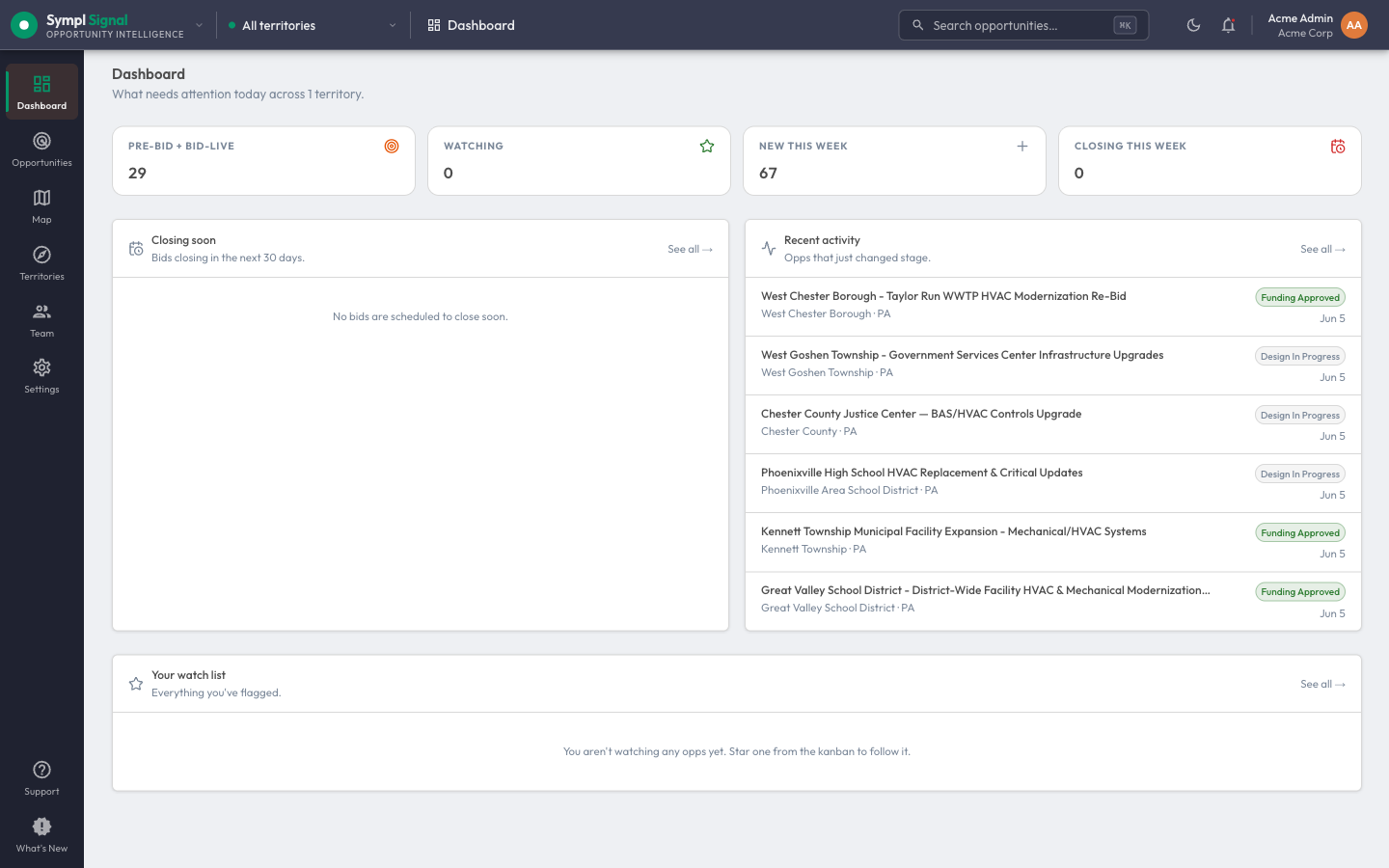
Stage changes surface on your dashboard as they happen — the recent-activity feed is your standing early-alert stream across the territory.
Why it matters
The alert type tells you how much runway you have.
The window closes fast
A consultant engagement gives you roughly 60–90 days before the spec locks. An A/E selection gives you 12–18 months before construction procurement. Knowing which is happening — and when — is the entire game.
Stage determines the action
An alert at stage 2 (planning) requires a different response than an alert at stage 5 (pursuit window). Sympl · Signal tells you both — the signal and what it means for your BD calendar.
You set the criteria
Focus alerts on the verticals, geographies, project sizes, and owner types that matter to your business. Signal volume without filter is just noise.
Stop finding out after the fact.
Sympl · Signal alerts your team when a project enters your territory, when it advances, and when the window to act is open — before the bid board posts.
it's that sympl.